
Enabling Source Control integration in Windows File Explorer
Windows Explorer can now show Git commit messages, the last changed date, and a version status of the file is modified and needs to be committed, as well as branch information in the status bar.
Isn't this pretty?
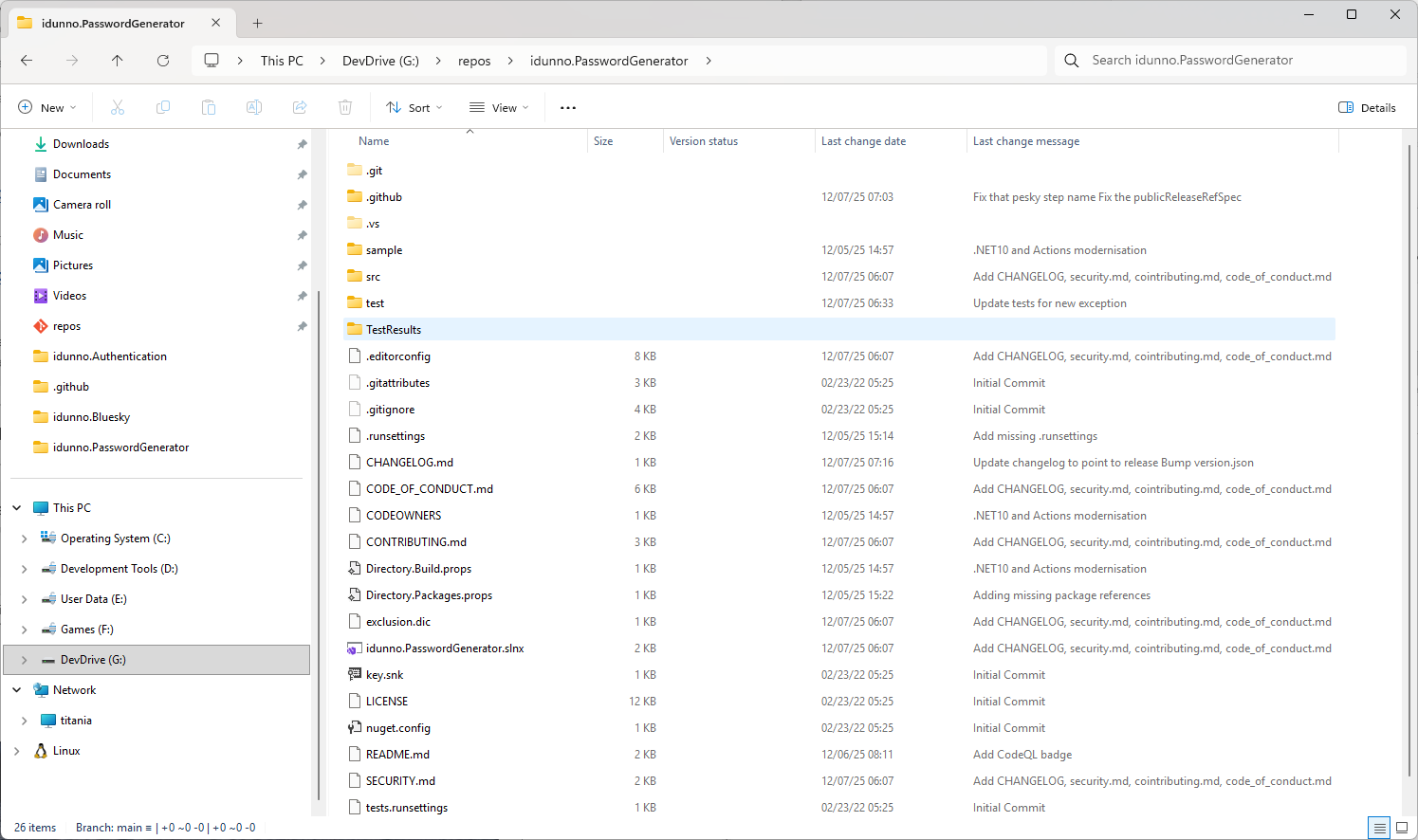
That's Windows Explorer, showing Git commit messages, the last changed date, and a version status of the file is modified and needs to be committed, why there's even branch information in the status bar.
This was announced in May 2024, made it into insider builds a year later, and snuck into Windows 11 with no fanfare in the September feature update.
To enable this, open the Settings app, click System, click Advanced, then click on File Explorer. You might be prompted to "Update the Advanced Settings component to get the latest features", if you are, click Update Now and let the Windows Store do its thing. You might need to restart after the update.
Now scroll down and you'll a section titled "File explorer and version control". Click Choose Folder and pick a folder containing a Git repository.
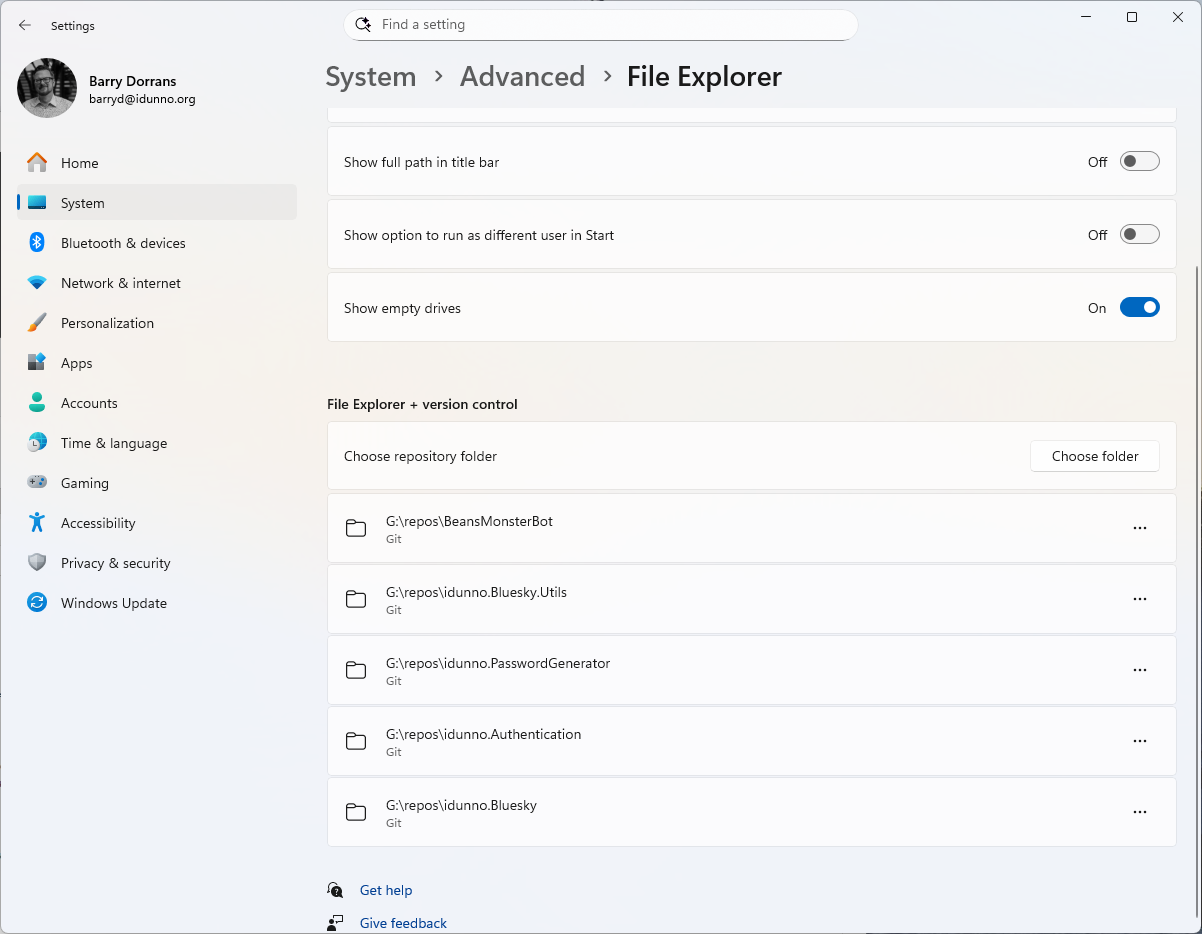
You'll need to do this for individual repo folders as there is no inheritance. If you try setting it on a parent folder that contains repos the repo folders will get the columns, but no information will be populated.
The source for Windows Advanced Settings is available on GitHub.
Note that this is all read only, you can't switch branches or commit from Explorer.